Match the format to the task
| What the learner needs to do | Format to consider first | When to choose something else |
|---|---|---|
| Read a rule, checklist or reference before work | Written instruction | Add a demonstration if the step is hard to picture. |
| Watch how an expert performs a visible action | Video or instructor demonstration | Add interaction if learners need to make decisions and receive feedback. |
| Identify parts and follow a sequence on a screen | Web training | Use a dedicated desktop app if the task or delivery setting calls for an installed application. |
| Inspect a complex layout and practise decisions without a headset | Desktop training | Consider VR if looking or moving around the equipment is part of the task. |
| Locate parts in three dimensions and rehearse actions around equipment | VR training | Check headset access, comfort, supervision and deployment before committing. |
| Judge force, weight, tool feel or actual site conditions | Supervised hands-on practice | Use a simulation beforehand for orientation or sequence practice, if it helps. |
These are starting points. The choice depends on what learners must do afterwards and where they will train.
When VR is useful
Consider VR when learners need to turn, look and reach to understand where components sit in relation to one another. A flat screen can show the same geometry, but the extra spatial step may matter when someone has to approach a cabinet, inspect an engine bay or work around a large assembly. Ask an instructor to identify the specific mistake or hesitation that better spatial practice should address. If nobody can name one, the headset may add work without improving the lesson.
Real equipment may be in use or difficult to bring to a classroom. VR can give learners consistent practice across repeated attempts, including rare or disruptive scenarios that can be represented faithfully, provided there are enough headsets, training spaces and supervisors.
VR also makes sense when the action itself is the lesson: choose a part, carry out a step, see the response, then decide what to do next. When recording and assessment are included, the application can record simulated actions and assessment results for instructor review. The interaction must represent the training objective faithfully. If the objective is simply to remember an order, a web or desktop lesson may deliver the same practice with less equipment to manage.
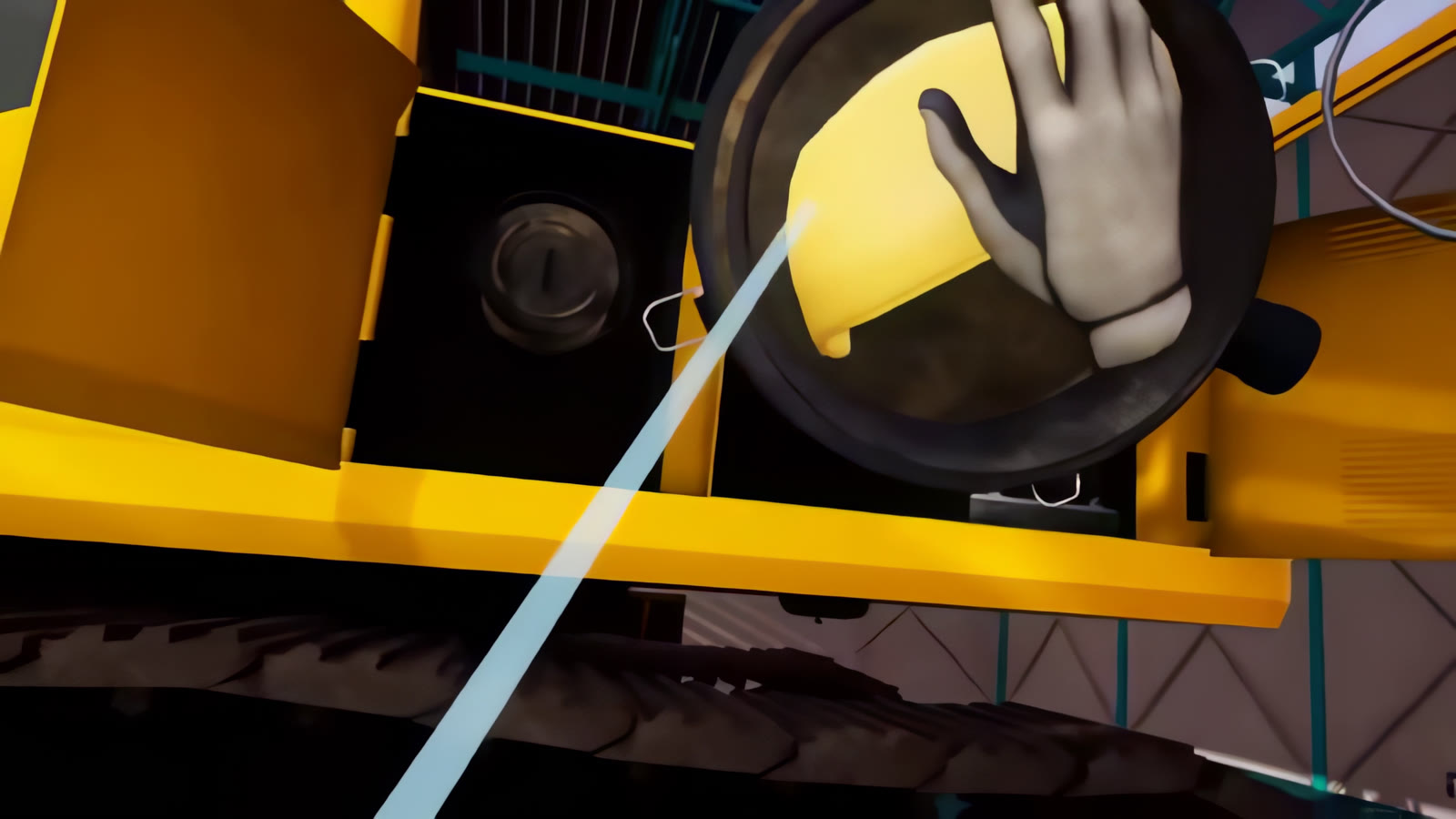
The excavator maintenance and driving trainer shows this kind of practice. Muhammad Faisal designed and built it in 2019 while working for a prior employer, which held the United Tractors School contract. The PC VR maintenance mode guides a learner through servicing an air filter with hand controllers, one action at a time. It illustrates spatial, step-by-step rehearsal. The case does not establish a measured training outcome or prove that VR is the right format for every maintenance task.
Reduce the cost of repeated practice
Training on real equipment can consume fuel, materials, replacement parts and production time. Some procedures also require equipment to be stopped, prepared or reset for each learner.
Once a VR scenario is built, learners can repeat the simulated procedure without using the real machine or its practice materials. That can leave more equipment time available for production and supervised hands-on training.
The business case is strongest when many people need the same training, the equipment is expensive to operate, or each real-world practice session has a meaningful cost. Compare the practice costs you expect to avoid with the cost of building, running and updating the simulator.
Where VR fits with other training
VR does not need to replace every part of a training programme. Written instructions can stay at the point of work, video can introduce a procedure, and supervised hands-on practice can validate physical skills. For tasks that need spatial rehearsal, VR can sit between explanation and real-machine practice.
If learners mainly need to recognise components, choose between options or understand a fault sequence, test a screen-based lesson. Desktop supports an installed setup. Web training lets learners open a lesson in a supported browser, subject to the device and network requirements for that deployment. Simvra's interactive conveyor demo lets visitors find a fault, repair it and test the result with on-screen controls. It demonstrates an interactive web lesson, not a customer's training outcome.
For a task that learners only need to observe, a clear video or instructor demonstration may be enough. Training content should follow the approved procedure, and an equipment expert should check what it shows.
Some work must be practised on the actual equipment. The grip of a tool, resistance from a part, weight, noise and local workplace conditions all affect performance. An assessment inside an application can show what a learner did in that application. It cannot, on its own, certify that the person can perform the job safely at work. Plan a supervised practical check when the job calls for one.
Test the decision on one real task
Bring the task or SOP, equipment references or CAD if available, the learner group, and the person who can approve the procedure. Define what a learner should be able to do after training and what an instructor will observe. Then compare formats against that task: which decisions must the learner make, which physical relationships matter, and which parts can only be checked on the real machine?
VR needs enough headsets, suitable space, a cleaning routine and whatever supervision the site requires. Desktop applications need suitable computers and an installation plan. Web lessons need supported devices and network access. Every format needs somebody to review the lesson when the equipment or procedure changes. Reporting and LMS connections are separate choices. They do not come automatically with a delivery format.
A pilot is optional. It should answer the main questions for one representative procedure: whether the interaction suits the task, whether learners can practise the decisions or sequence, and what still needs hands-on instruction. For project details, pricing and ownership terms, see Process.