Interactive web training built around your work
Let your team practise real tasks in a browser, with guidance and feedback along the way. We build lessons around your procedures, with an optional dashboard to assign training and review results.
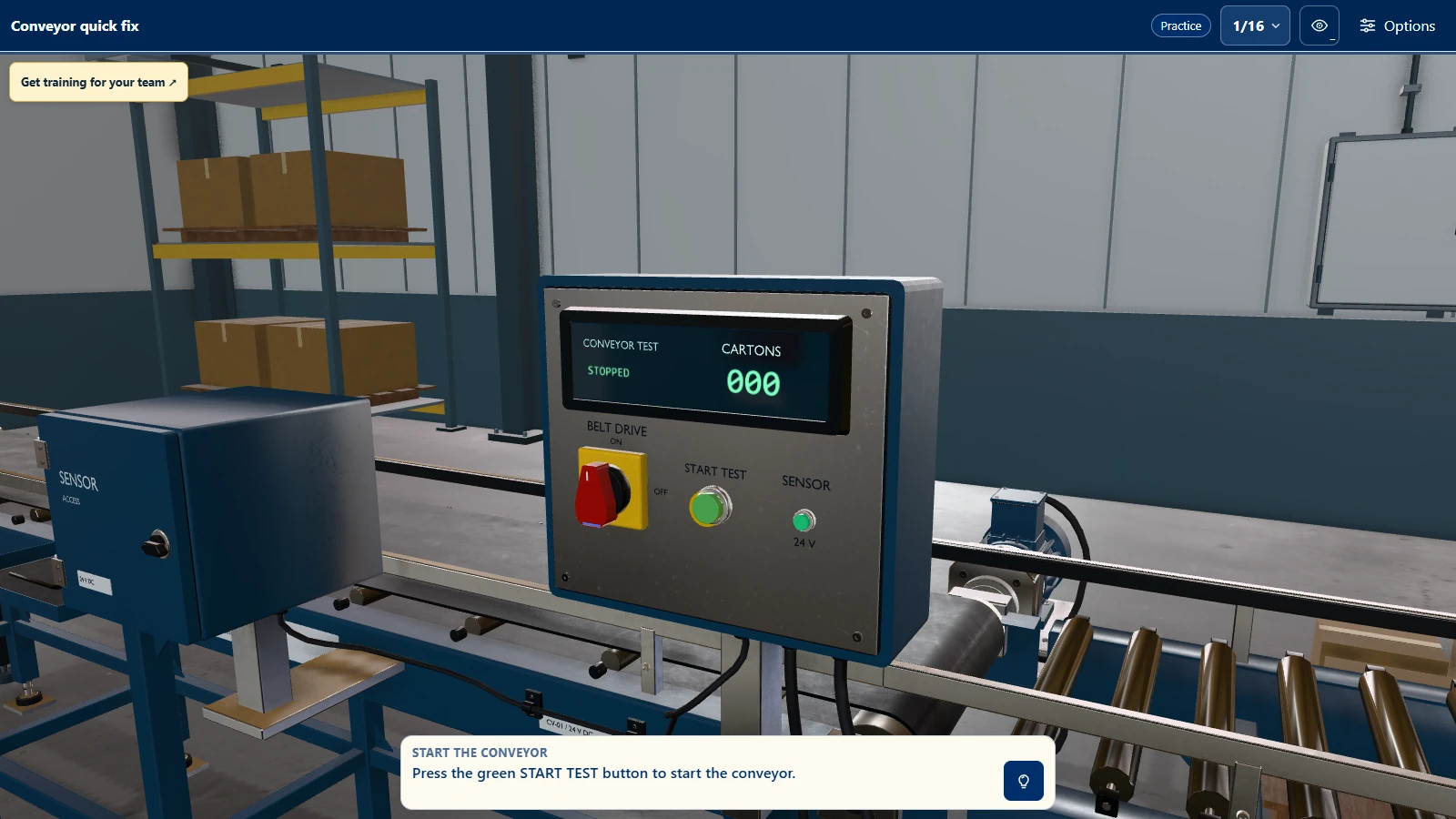
Built with your subject expert
We build lessons for workshop procedures, healthcare tasks and classroom exercises. Your subject expert reviews the steps, feedback and assessment with us.
Practise the procedure
- Learners work through a virtual version of the task.
- They can use hints and review feedback as they practise.
Assess the task
- Your instructors help decide which steps are required, which errors to record and what counts as a pass.
- Review each attempt against those criteria.
Devices and access
- Web lessons open in a browser.
- If you need a dedicated VR app or installed desktop app too, we plan and test that version separately.
See who has started and who needs support
Assign lessons and follow up with the people who need help. See who hasn't started, who's still working through a lesson and which assignments are overdue.
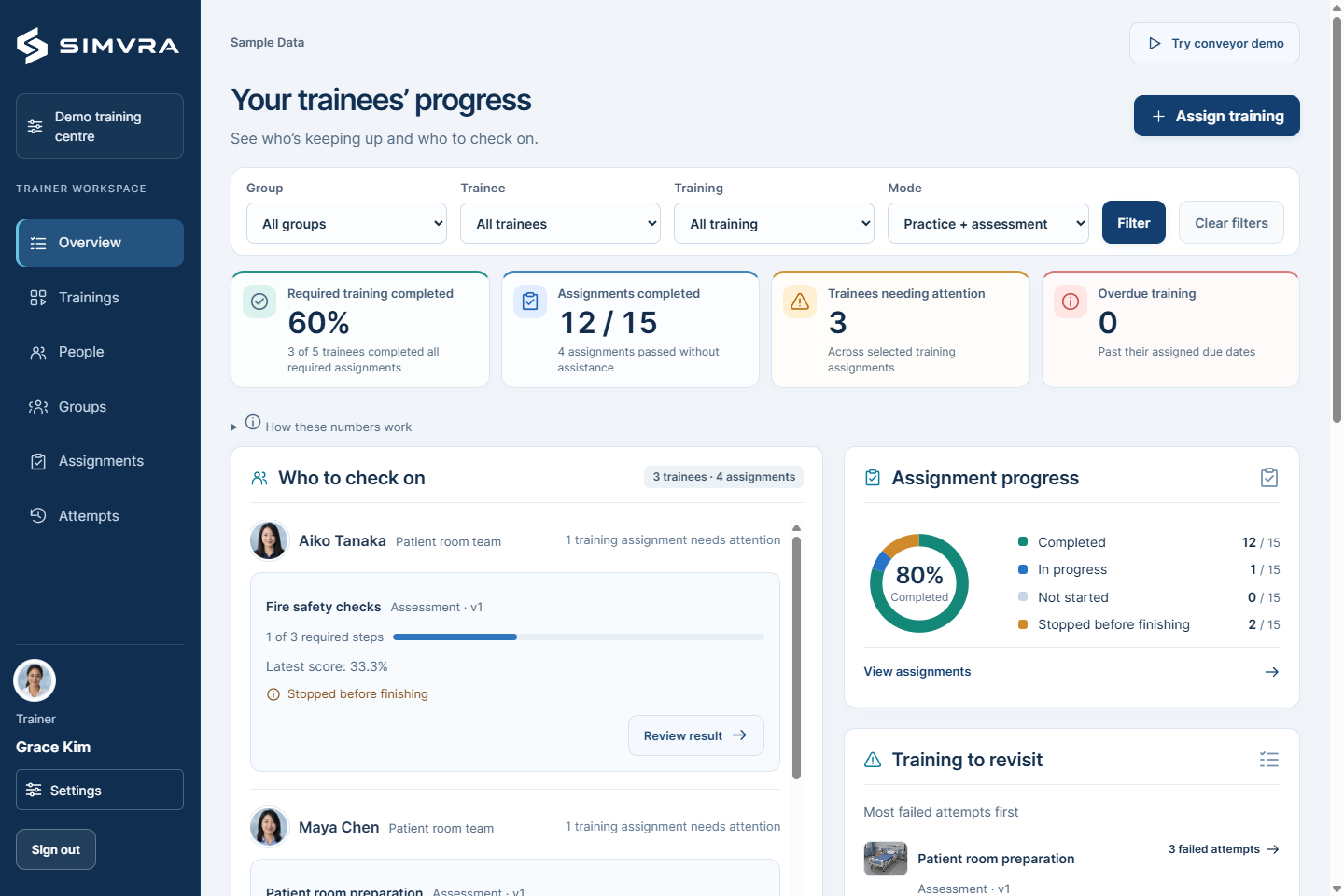
Training dashboard. Sample data. View dashboard full size
Administrators
- Manage people, assign lessons and link learners with their trainers.
- Review progress and results across the team.
Trainers
- Review results for the learners assigned to you.
- Use their attempts and trainer notes to decide which steps need more practice.
Learners
- Open assigned training.
- Review previous attempts, results and learning history.
See where a learner needs more practice
Review completed steps, mistakes and help used in each attempt. For assessed lessons, you can also review the score against your criteria.
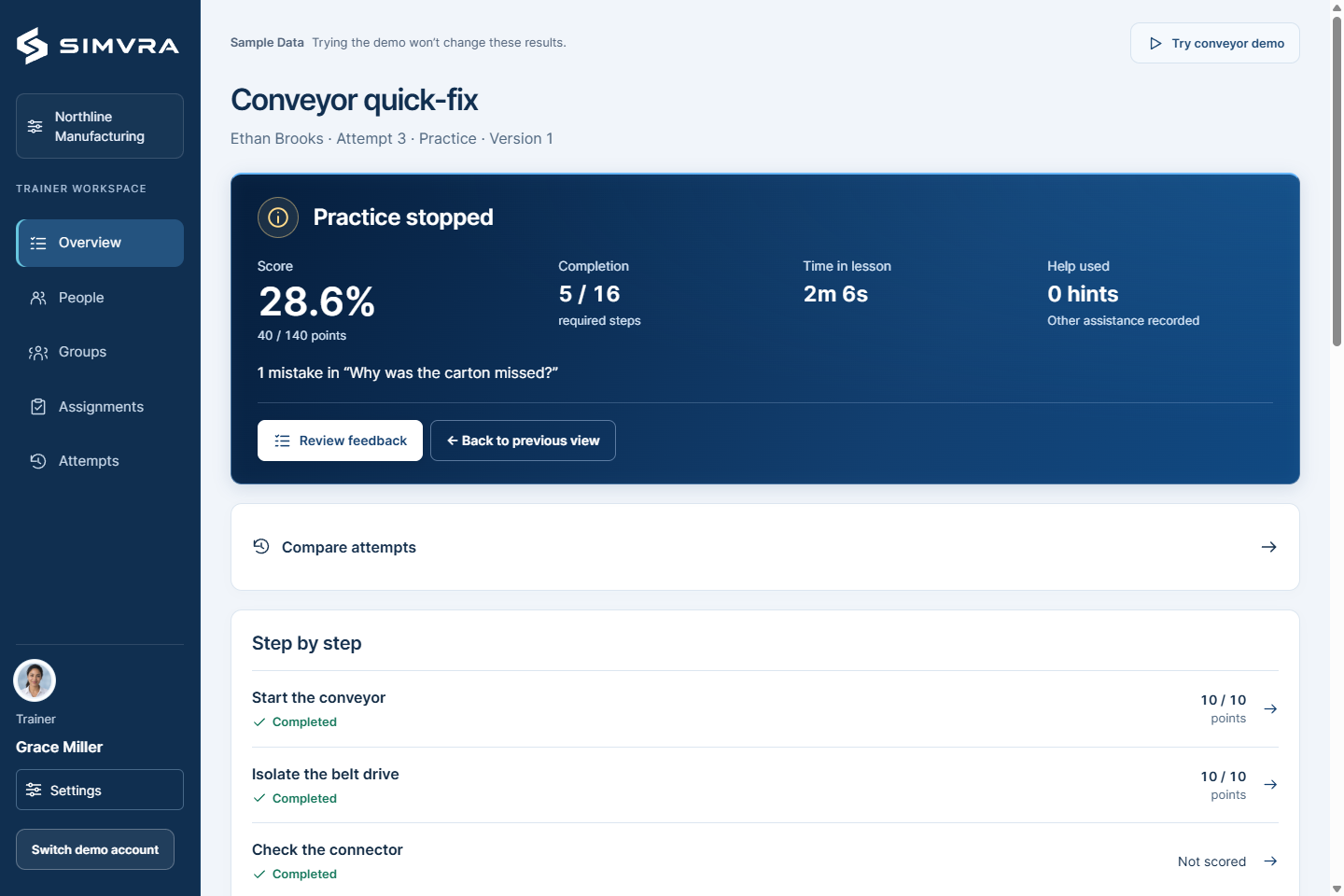
Conveyor practice result. Sample data. View result full size
Use these results alongside hands-on assessment by your instructors.
Planning your web training
What does your team need to practise?
We'll discuss what your team needs to practise and how a web lesson could help. Within 2 business days of our call, I’ll send you a written outline of what we can build and a rough price.
replies within 1 business day · NDA before any material exchange